
TumaChat AI is an assistant built into the TumaChat app, pinned at the top of your chats. You can ask it anything in Kinyarwanda, English, French or Kiswahili and it answers in the language you used. It is in beta, it is free, and it is designed for everyday life in Rwanda: money in Rwandan francs, ibimina, bills and getting around the app.
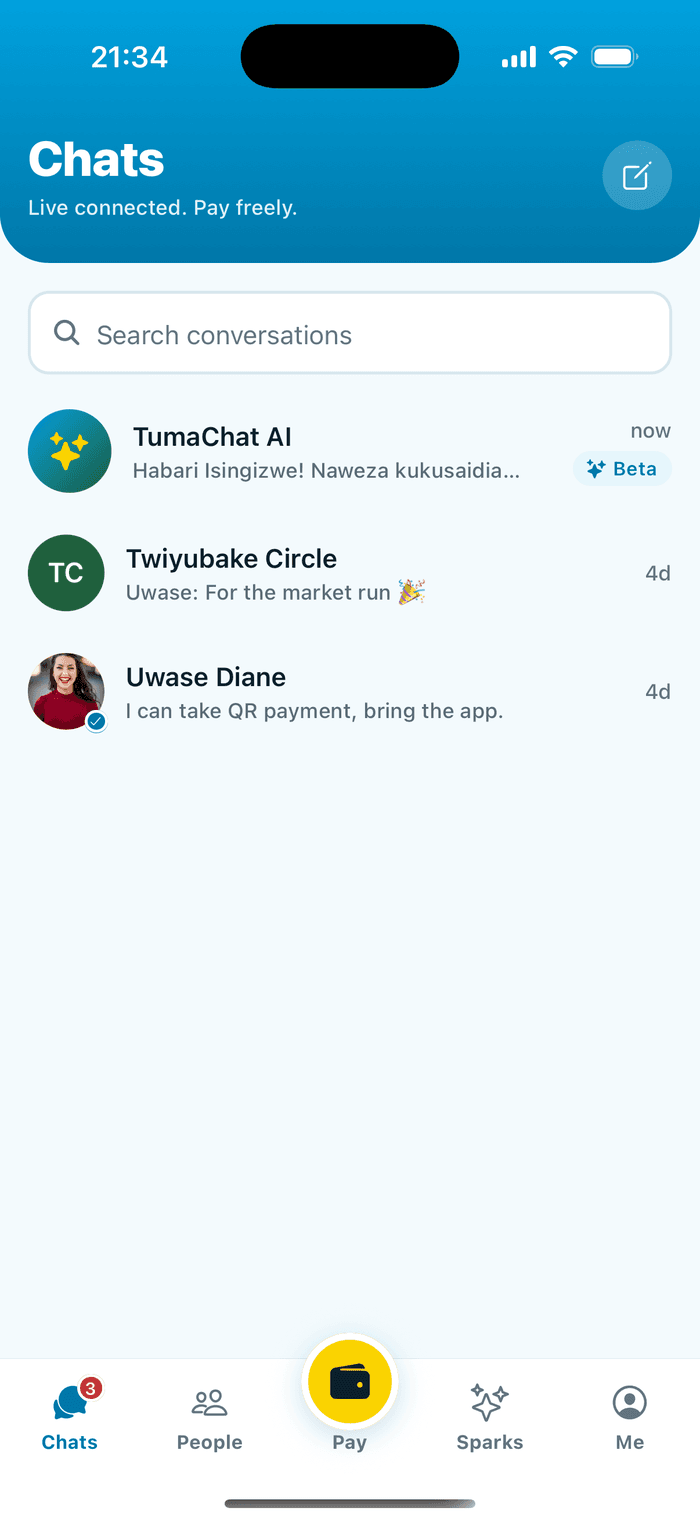
TumaChat AI, pinned in Chats
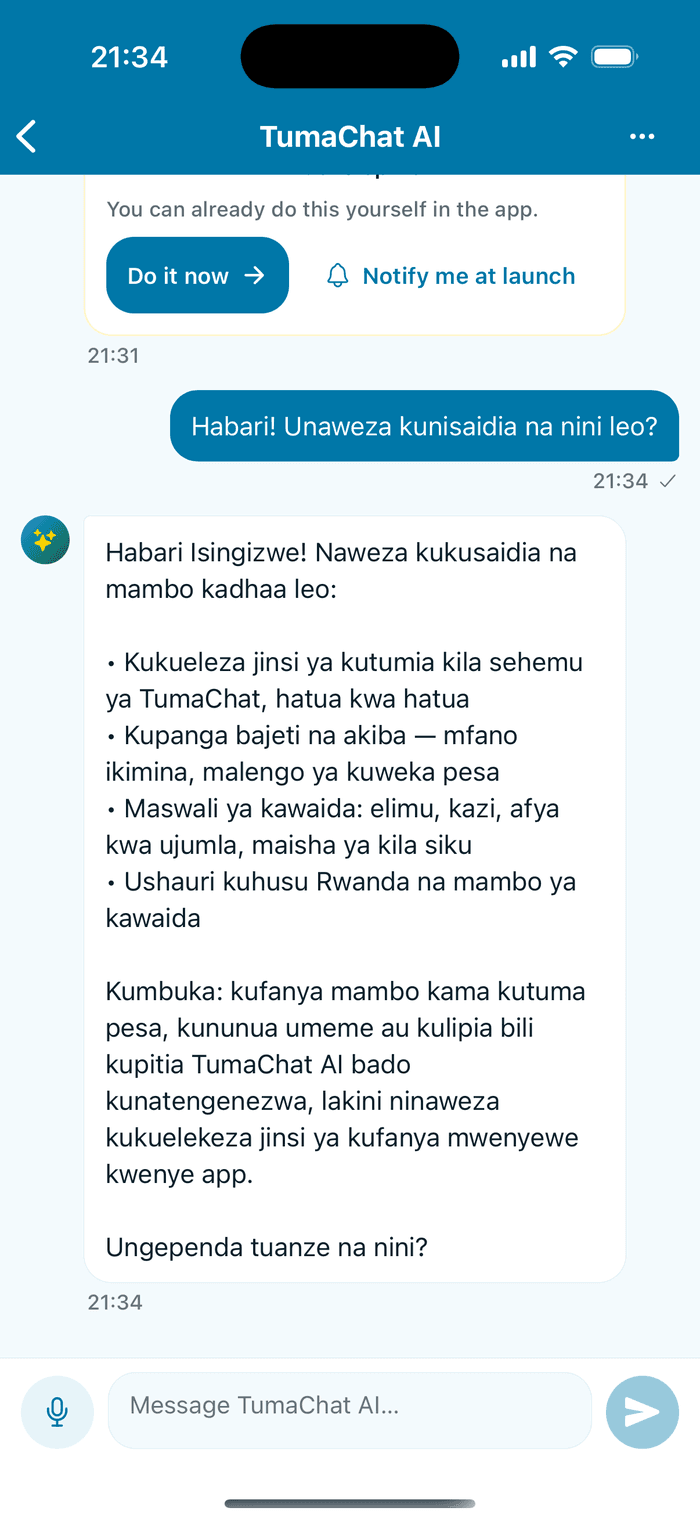
Kiswahili: replies in your language
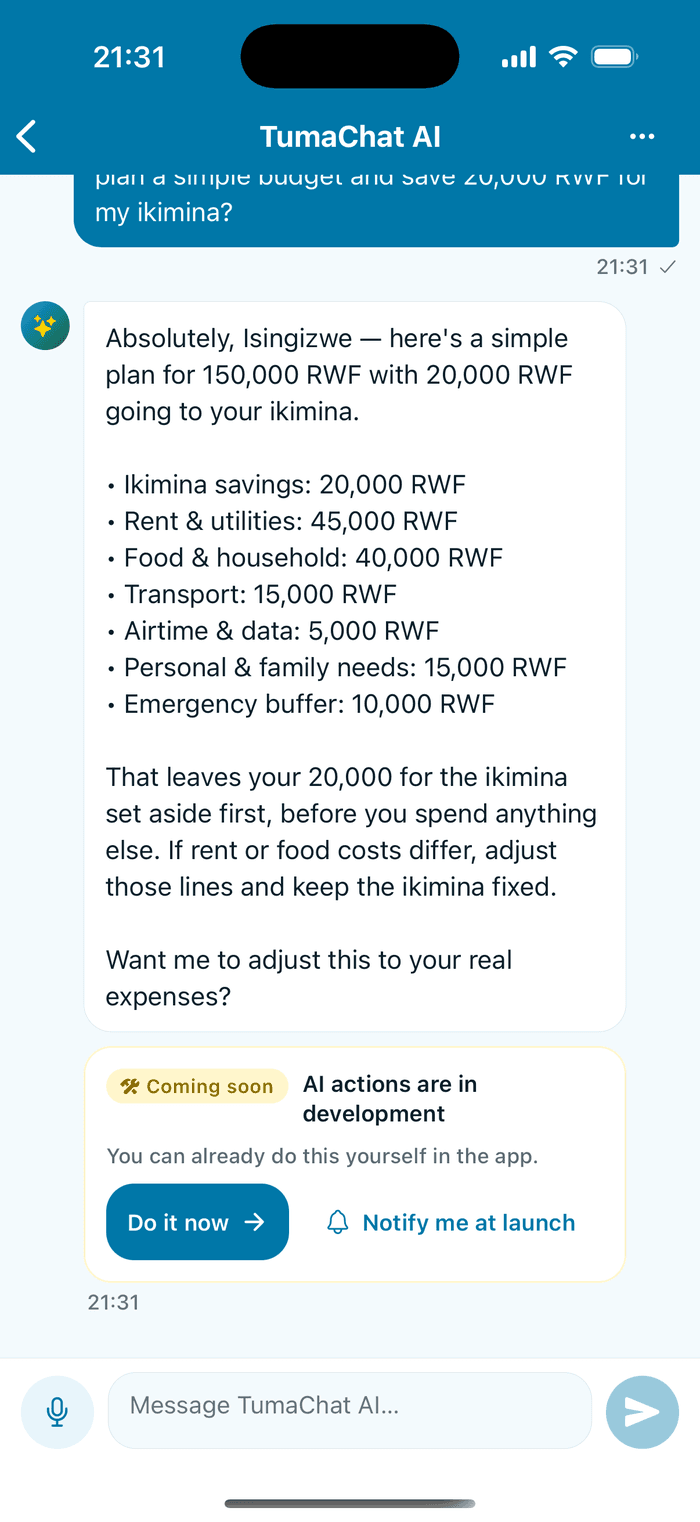
English: a monthly budget
What TumaChat AI can do today
- Answer everyday questions in Kinyarwanda, English, French or Kiswahili.
- Reply in your language automatically. Write in Kinyarwanda and it answers in Kinyarwanda; switch to French mid-conversation and it follows you.
- Explain any part of TumaChat step by step: how to send money, create an ikimina, use Market Mode or change your language.
- Help you plan money: a monthly budget, a savings goal, or how much each member should contribute to an ikimina.
Because it lives inside a chat, using it feels like messaging a helpful friend. There is no new app to learn and nothing to install.
Why an assistant that speaks Kinyarwanda matters
Most AI tools are built for English first. Many people in Rwanda are more comfortable in Kinyarwanda, and many families mix Kinyarwanda, English, French and Kiswahili in the same day. An assistant only helps if you can talk to it the way you talk to everyone else.
It also helps people who are new to smartphones. Instead of searching through menus, you can simply ask: “How do I pay with a QR code?” and get a short, clear answer in your own language.
Things you can ask, in any of the four languages
| Language | Example question |
|---|---|
| Kinyarwanda | Muraho! Nakora nte ikimina kuri TumaChat? |
| English | Plan a simple budget for 150,000 RWF a month and save 20,000 RWF for my ikimina. |
| Français | Comment envoyer de l’argent à un ami sur TumaChat ? |
| Kiswahili | Habari! Unaweza kunisaidia na nini leo? |
For a worked example of the budget question, see our guide to planning a monthly budget in Rwandan francs.
How to start a conversation
- Install TumaChat and sign in, or use the demo account.
- Open Chats. TumaChat AI is pinned at the top with a Beta badge.
- Type your question, or tap one of the suggested questions to get started.
Your money and your privacy
- It never asks for your PIN or password. If anyone in any chat asks for your PIN, it is a scam.
- It does not move your money. The assistant explains how to do things and gives you a shortcut to the right screen; you stay in control of every payment.
- It can be wrong. Like every AI, it can make mistakes, so double-check important numbers, especially amounts and dates.
- Keep private details private. There is no need to share ID numbers, card details or passwords with the assistant to get help.
Is TumaChat AI free?
Yes. It is included in the TumaChat app at no cost during the beta.
Does TumaChat AI understand Kinyarwanda well?
It understands and answers everyday Kinyarwanda, and it keeps improving. If an answer sounds unnatural, rephrase the question or ask it in another language you know.
Can I use it on iPhone?
Yes. TumaChat AI is part of both the Android and iOS apps. The iPhone app is available on request during the beta.

