
You are chatting with a friend about lunch, the market or the moto fare home, and now you need to pay. Usually that means leaving the chat, dialling a code, typing a number, checking it twice, then going back to send a screenshot as proof. In TumaChat, the payment happens inside the conversation, and the transfer itself becomes the message.

A conversation
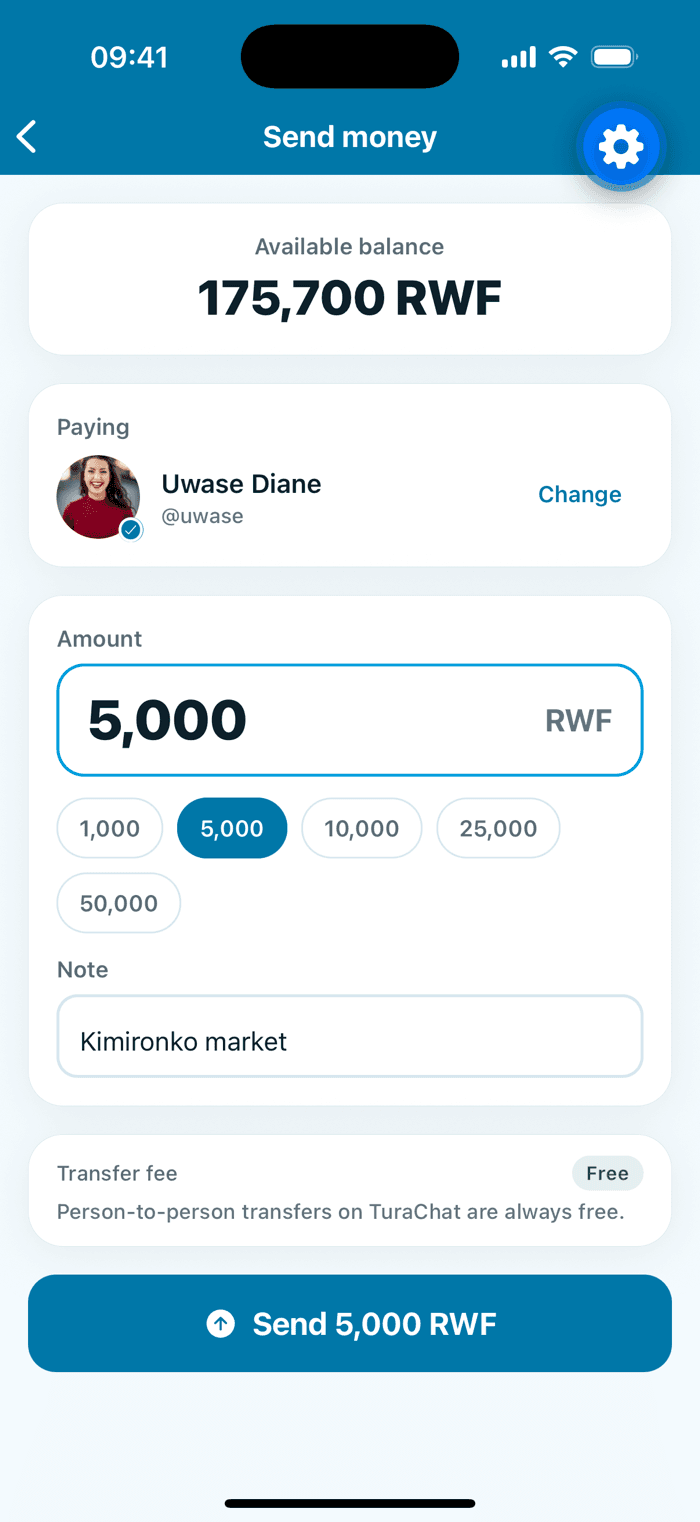
Send money, fee: free

The Pay hub
How to send money from a chat
- Open the conversation with the person you want to pay.
- Tap the wallet icon at the top of the chat. The Send money screen opens with that person already selected.
- Enter the amount, or tap a quick amount such as 1,000, 5,000 or 10,000 RWF.
- Add a short note so you both remember what it was for, for example “Kimironko market”.
- Tap Send and confirm. The transfer appears in the chat for both of you.
The transfer fee shows as Free: person-to-person transfers on TumaChat are always free.
Other ways to pay someone
- By @handle. Every TumaChat user has a unique handle such as @uwase. Open Pay › Send and search for it. No more mistyped phone numbers.
- By QR code. In a shop or with a friend, open Pay › Scan QR and point your camera at their code.
- To receive money, open Pay › Receive (or Me › My QR code) and let the other person scan your code.
Splitting a bill with friends
Say four friends have dinner and the bill is 24,000 RWF. One person pays at the restaurant. Each of the other three opens the chat with them and sends 6,000 RWF with the note “Dinner”. Everyone can see in the thread who has already paid, so nobody has to remember or chase anyone.
Why money in the chat is safer
- The recipient is always resolved. You pay a specific account, chosen from the conversation, a handle or a QR code, never a name typed from memory.
- No double payments. If your connection drops or you tap Send twice, TumaChat recognises the repeat and does not move the money a second time.
- A clear record. The transfer sits in the conversation and in Pay › History, with the note you wrote.
- You stay in control. Set a Payment PIN and turn on Confirm every payment in Me › Security.
For gifts rather than payments, try a gift envelope, with equal shares or a lucky draw for a group. To understand what happens behind the scenes, read how TumaChat protects your money and data.

